
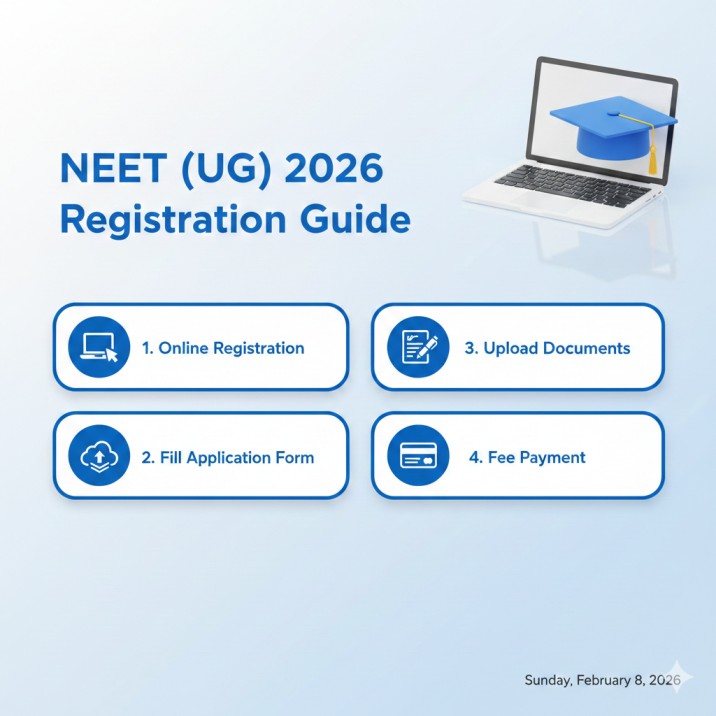
How to Apply for NEET 2026: Step-by-Step Registration Guide (Now Closed)
Complete walkthrough of the NEET 2026 application process — registration steps, document upload specs, fee details, and key deadlines.
The NEET (UG) 2026 registration process was conducted by the National Testing Agency (NTA) from February 8 to March 8, 2026. The registration is now officially closed, and the correction window (March 12-14, 2026) has also ended. This guide is preserved as a detailed reference for candidates who registered and for future NEET aspirants preparing for upcoming cycles.
Important Dates Recap
| Event | Date |
|---|---|
| Registration window opened | February 8, 2026 |
| Registration window closed | March 8, 2026 (9:00 PM) |
| Last date for fee payment | March 8, 2026 (11:50 PM) |
| Correction window | March 12-14, 2026 |
| City Intimation Slip (expected) | Mid-April 2026 |
| Admit Card (expected) | Late April 2026 |
| NEET 2026 Exam Date | May 3, 2026 (Sunday) |
| Exam Timing | 2:00 PM - 5:00 PM (IST) |
Step 1: Visit the Official Registration Portal
- Go to examinationservices.nic.in/neetc2026.
- Click on “New Registration” on the homepage.
- Read the instructions and declaration carefully, then proceed.
Step 2: Create Your Account
Fill in the following details to generate your Application Number and password:
- Full name (as per Class 10 certificate — this cannot be changed later)
- Date of Birth
- Gender
- Valid Email Address (all communication from NTA will come here)
- Active Mobile Number (for OTP verification)
- Nationality
- State of eligibility (where you passed/will pass Class 12)
After submitting, you receive an Application Number and Password via email and SMS. Save these credentials — you will need them for every future login.
Step 3: Fill the Application Form
Log in with your Application Number and Password, then complete the following sections:
Personal Details:
- Father’s name, Mother’s name
- Category (General, OBC-NCL, SC, ST, EWS)
- PwBD status (if applicable)
- Annual family income
- Aadhaar number (optional but recommended)
- APAAR ID (optional)
Educational Qualifications:
- Class 12 board name
- Year of passing or expected year
- Marks/percentage (if already passed)
- Medium of exam (English, Hindi, or regional languages)
Exam City Preferences:
- Select 4 city preferences in order of priority from 566 available cities across India.
- Choose cities wisely based on proximity, travel convenience, and familiarity.
Medium of Question Paper:
- Choose from: English, Hindi, Assamese, Bengali, Gujarati, Kannada, Malayalam, Marathi, Odia, Punjabi, Tamil, Telugu, Urdu.
- Bilingual option: English + one regional language.
Step 4: Upload Documents
This step requires careful attention to file specifications. Rejected uploads can cause application rejection.
| Document | Format | File Size | Specifications |
|---|---|---|---|
| Photograph | JPG/JPEG | 10 KB - 200 KB | Recent passport-size, white background, face covering 60-70% of frame |
| Signature | JPG/JPEG | 4 KB - 30 KB | Done on white paper with black ink pen |
| Left Thumb Impression | JPG/JPEG | 10 KB - 200 KB | Clear impression with blue/black ink on white paper |
| Class 10 Certificate | JPG/JPEG/PDF | 100 KB - 400 KB | For date of birth verification |
| PwBD Certificate | JPG/JPEG/PDF | 100 KB - 400 KB | Only for PwBD candidates |
Common upload mistakes to avoid:
- Blurry or dark photograph — take a fresh photo with good lighting.
- Signature image that is too large — crop tightly around the signature.
- Thumb impression that is smudged — use a stamp pad and press firmly on white paper.
- Wrong file format — NTA only accepts JPG/JPEG for most uploads.
Step 5: Pay the Application Fee
After completing the form and uploading documents, proceed to fee payment.
| Category | Fee Amount |
|---|---|
| General | Rs. 1,700 |
| General-EWS / OBC-NCL | Rs. 1,600 |
| SC / ST / PwBD / Third Gender | Rs. 1,000 |
| Candidates from outside India | Rs. 9,500 |
Payment methods accepted:
- Net Banking
- Credit Card
- Debit Card
- UPI (Google Pay, PhonePe, Paytm, etc.)
After successful payment, a Confirmation Page is generated. Download and print this page immediately — it serves as proof of successful registration.
Step 6: Print the Confirmation Page
- After fee payment, click “Print Confirmation Page” on the portal.
- Save a PDF copy and take a printout.
- Verify all details on the confirmation page: name, photo, signature, category, city preferences.
- If you notice any error, it could have been corrected during the correction window (March 12-14, which is now closed).
What to Do After Registration
Now that registration is complete, here is your action plan:
- Save your Application Number and Password securely. You will need them to download City Intimation Slip and Admit Card.
- Check your registered email regularly for NTA communications.
- Monitor the NTA website for updates on City Intimation Slip and Admit Card release dates.
- Focus on preparation. With the exam on May 3, use your remaining time for revision and mock tests on MockX.
- Keep your documents ready for exam day — admit card, photo ID, and passport-size photos.
Common Issues and Troubleshooting
Payment failed but amount deducted: If your payment was deducted but the confirmation page was not generated, wait 48-72 hours for a refund or reconciliation. If the issue persists, contact your bank and NTA helpline.
Photo or signature rejected: If NTA rejects your uploaded photo or signature, you may receive an email notification. Re-upload during the correction window (if open) or contact NTA.
Forgot Application Number or Password: Use the “Forgot Application Number” or “Forgot Password” option on the login page. You will need your registered email or mobile number for verification.
NTA Helpline:
- Phone: 011-40759000
- Email: neet@nta.ac.in
Frequently Asked Questions (FAQ)
Q: Can I still register for NEET 2026? No. The registration period closed on March 8, 2026, and the correction window ended on March 14, 2026. Late registrations are not accepted.
Q: What if I made an error in my application form? The correction window (March 12-14) was the designated period for corrections. If you missed it, contact NTA at neet@nta.ac.in with your application number and the specific error.
Q: Can I change my exam city preferences after registration? City preferences could only be changed during the correction window, which is now closed.
Q: Is the registration fee refundable? No. The registration fee is non-refundable under any circumstances, even if you do not appear for the exam.
Q: When will I receive my admit card? The Admit Card is expected in the last week of April 2026. Download it from the NTA portal using your Application Number and Date of Birth.
Ready to practice? Get the MockX App
Everything you need for NEET 2026 — available on Android & iOS.