
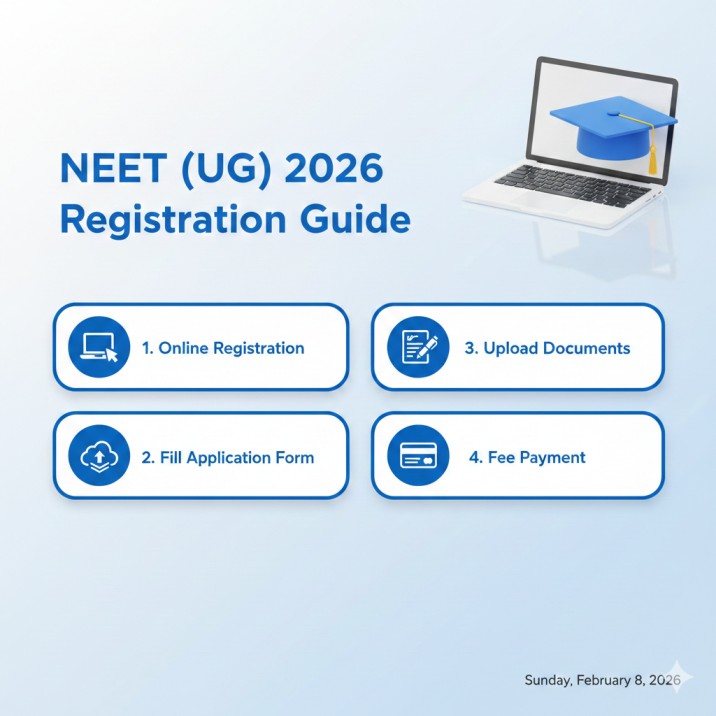
NEET 2026 Application Status: How to Check Your Form Status Online
Step-by-step guide to check your NEET 2026 application form status, understand status messages, and resolve common issues.
After submitting your NEET 2026 application form, the next critical step is to verify that your application has been successfully received and confirmed by NTA. Checking your application status regularly ensures there are no surprises when it is time to download your City Intimation Slip or Admit Card. This guide walks you through the complete process of checking your NEET 2026 application status online.
How to Check Your NEET 2026 Application Status
Follow these steps to check your application status on the NTA portal:
Step 1: Open your browser and visit the official NEET 2026 portal at examinationservices.nic.in/neetc2026.
Step 2: Click on “Candidate Login” or “Application Status” link on the homepage.
Step 3: Enter the following credentials:
- Application Number (received via email/SMS during registration)
- Password (created during registration)
- Security Pin (captcha displayed on screen)
Step 4: After logging in, navigate to the “Application Status” or “View Application” section.
Step 5: Your current application status will be displayed along with all submitted details — personal information, uploaded documents, and payment status.
Step 6: Download and save the Confirmation Page as a PDF for your records.
Understanding Application Status Messages
NTA displays different status messages depending on the stage of your application. Here is what each one means:
| Status Message | Meaning | Action Required |
|---|---|---|
| Submitted | Form has been filled and submitted, but payment is pending | Complete fee payment immediately |
| Payment Pending | Fee transaction was initiated but not confirmed | Wait 48 hours for bank reconciliation, then retry if still pending |
| Payment Failed | Fee payment was unsuccessful | Retry payment through the portal; if amount was deducted, wait 7-10 days for refund |
| Under Review | NTA is reviewing your uploaded documents or application details | No action needed; wait for NTA communication |
| Photo/Signature Rejected | Uploaded photo or signature does not meet NTA specifications | Re-upload during correction window (if open) or contact NTA |
| Confirmed | Application is fully processed and accepted | No action needed; wait for City Intimation Slip and Admit Card |
| Discrepancy Found | NTA found inconsistencies in your application | Check email for details; contact NTA helpline |
What to Do If Your Payment Failed
Payment failures are one of the most common issues during NEET registration. Here is a step-by-step troubleshooting guide:
If the amount was deducted from your account but status shows “Payment Failed”:
- Do NOT make another payment immediately. Wait 48-72 hours for the bank to reconcile.
- Check your bank statement or UPI transaction history for the exact deduction.
- If the amount is not refunded within 7-10 working days, contact your bank with the transaction reference number.
- Simultaneously, email NTA at neet@nta.ac.in with:
- Your Application Number
- Transaction reference number
- Bank name and account details
- Screenshot of the deduction
If the payment page timed out or crashed:
- Log back into the portal and check if the payment was recorded.
- If status still shows “Payment Pending,” retry the payment using a different method (e.g., switch from UPI to debit card).
- Avoid using slow internet connections for payment — a stable connection is essential.
If you see “Double Payment” (paid twice):
- NTA will refund the extra payment to the original payment source within 15-30 days.
- No separate request is needed, but you can email NTA for confirmation.
Common Application Issues and Solutions
1. Wrong photograph uploaded
- If your photograph does not meet NTA specifications (wrong background, blurry, not passport-size), NTA may reject it.
- Resolution: Re-upload during the correction window. If the correction window is closed, contact NTA helpline immediately.
2. Name mismatch
- Your name on the application must match your Class 10 certificate exactly.
- If there is a mismatch (spelling error, missing middle name), it could cause issues during admit card verification.
- Resolution: This could have been corrected during the correction window (March 12-14). If missed, contact NTA with supporting documents.
3. Category certificate issues
- OBC-NCL candidates must ensure their certificate is in the central government format (for AIQ counselling).
- EWS certificate must be for the current financial year.
- Resolution: Keep updated certificates ready for counselling. The application form category cannot be changed after the correction window.
4. Unable to login
- If you forgot your password, use the “Forgot Password” option and reset it using your registered email or mobile number.
- If you forgot your Application Number, use the “Forgot Application Number” option — you will need your name, date of birth, and registered email/mobile.
How to Download Your Confirmation Page
The Confirmation Page is your proof of successful registration. To download it:
- Login to the NTA portal.
- Click on “Print Confirmation Page” or “Download Confirmation Page.”
- Save it as a PDF.
- Take a colour printout and keep it safe.
- Verify all details: name, photograph, signature, category, city preferences, and fee payment status.
NTA Contact Information
If you face any issues with your application status, reach out to NTA through the following channels:
| Contact Method | Details |
|---|---|
| Helpline Number | 011-40759000 |
| neet@nta.ac.in | |
| Website | nta.ac.in |
| Office Address | NTA, Block C-20, Sector 62, Noida, Uttar Pradesh 201309 |
| Working Hours | Monday to Saturday, 10:00 AM to 5:00 PM |
When contacting NTA, always mention your Application Number and provide a clear description of the issue with supporting screenshots or documents.
Important Reminders
- Check your application status at least once a week until you receive the Admit Card.
- Keep your registered email and mobile number active — NTA sends important updates via email and SMS.
- Do not share your login credentials with anyone, including coaching institutes.
- Bookmark the official NTA portal to avoid phishing websites that mimic the NTA login page.
Frequently Asked Questions (FAQ)
Q: How long does it take for the application status to change to “Confirmed”? Usually within 48-72 hours after successful fee payment. If it takes longer, check your payment status and contact NTA.
Q: Can I edit my application after it shows “Confirmed”? Edits were only possible during the correction window (March 12-14, 2026), which is now closed. Contact NTA for exceptional cases.
Q: My application shows “Under Review” for more than a week. Is this normal? It can happen if NTA is verifying your documents. If it persists for more than 2 weeks, contact NTA helpline at 011-40759000.
Q: Will NTA inform me if my application is rejected? Yes. NTA sends email and SMS notifications if there is any issue with your application. Check your spam/junk folder as well.
Q: I cannot find my confirmation page email. What should I do? Login to the NTA portal and download the confirmation page directly. You do not need the email copy if you can access the portal.
Ready to practice? Get the MockX App
Everything you need for NEET 2026 — available on Android & iOS.